Self-healing SSH SOCKS proxy
An in-process SOCKS5 proxy over SSH. Paste host, user, and password once; PUSSH generates an Ed25519 key and installs it, then self-heals the tunnel through Wi-Fi switches, VPN toggles, sleep/wake, and unstable connections - always reconnecting on the same local port.
pussh connect vps.example.com
→ pre-check: login OK, TCP forwarding allowed
→ generating Ed25519 key ok
→ installing public key (ssh-copy-id) ok
→ SOCKS5 127.0.0.1:1080
✔ Connected — heartbeat every 10s, auto-reconnect on
link 42 ms · ↓ 94 Mbps · ↑ 31 Mbps
One-click setup
Paste host, username, and password, press Connect - PUSSH generates and installs the key for you. No terminal, no key files to manage.
Self-healing tunnel
A heartbeat and a network-change watcher rebuild the connection automatically and keep the same local port, so your apps never need reconfiguring.
Single binary
Ships as one executable that uses the OS built-in webview. No runtime, no dependencies on the end-user machine.
Secure by default
Passwords live in the OS keychain; server identities are pinned on first use; every connection after setup is key-only.
How it works
Connected in three steps
No terminal. No manual key handling. No separate ssh or PuTTY install.
Paste your server details
Buy any Linux VPS, then paste its host, username, and password once. PUSSH runs a pre-check to confirm the login works and that the server allows TCP forwarding - problems are reported up front, before it starts holding the connection open and healing it for you.
$ user@host + password
PUSSH installs a key & opens the tunnel
It generates an Ed25519 key locally and installs the public key on the server (an embedded ssh-copy-id). The password is used only once - because every reconnect is key-only, PUSSH silently rebuilds the tunnel after a Wi-Fi switch, VPN toggle, or dropped connection without ever asking again.
$ ssh-keygen -t ed25519
Point your apps at the proxy
A local SOCKS5 listener appears at 127.0.0.1:<port> and stays on the same port across reconnects. A 10-second heartbeat and network-change watcher detect dead or unstable connections and self-heal the tunnel automatically, so your apps never need reconfiguring.
$ SOCKS5 127.0.0.1:1080
Everything it does
A complete, resilient proxy toolkit
Every feature below is already implemented and shipped.
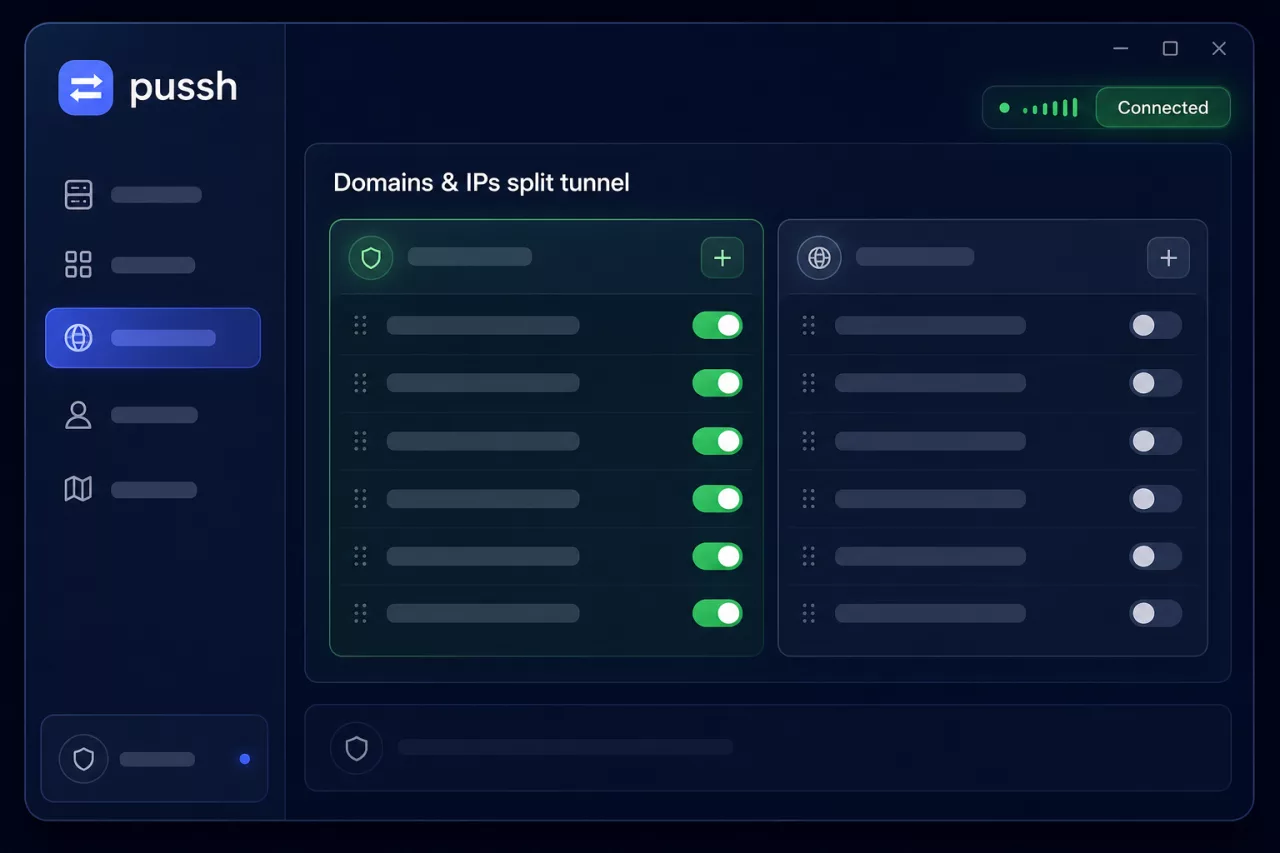
Route a single app, a list of domains, or everything
Force one application's traffic through the tunnel while everything else stays direct - or steer traffic by destination across the whole PC with hostname, wildcard, IP and CIDR rules. No per-app SOCKS settings, no app restart after enabling rules.
- Child processes of a wrapped app are routed automatically
- QUIC and IPv6 dropped to prevent leaks on the proxied path
- Smart matching via DNS, TLS SNI and Host headers

See your tunnel on a live world map
A schematic world map plots this PC and every saved server, with an animated line for the active tunnel showing live latency and real upload/download throughput, colored by link quality. The vector atlas is built in, so it works without map tiles or a network connection.
Live latency
Real throughput
Works offline

Get PUSSH
One binary. No terminal. No PuTTY. No runtime to install. Your own VPS becomes a self-healing proxy in one click.
By downloading you agree to use your own SSH server. PUSSH is the client, not a hosted VPN service.
Contact
Questions? Get in touch
Tell us about your setup, report an issue, or ask anything about PUSSH. We read every message.
Privacy first
We only store what you send us in this form.
Quick replies
We aim to respond within a couple of days.